Morning Routine Visual Schedule for Kids: Reduce Stress & Build Independence
“Brush your teeth. I said brush your teeth. Please go brush your teeth. Why are you still in pajamas?”
If your mornings sound like this, you’re not alone. For families raising children with autism, ADHD, developmental delays, or anxiety, mornings can be the hardest part of the day. Every transition is a potential battle. Every step requires a reminder. And the clock keeps ticking toward the school bus.
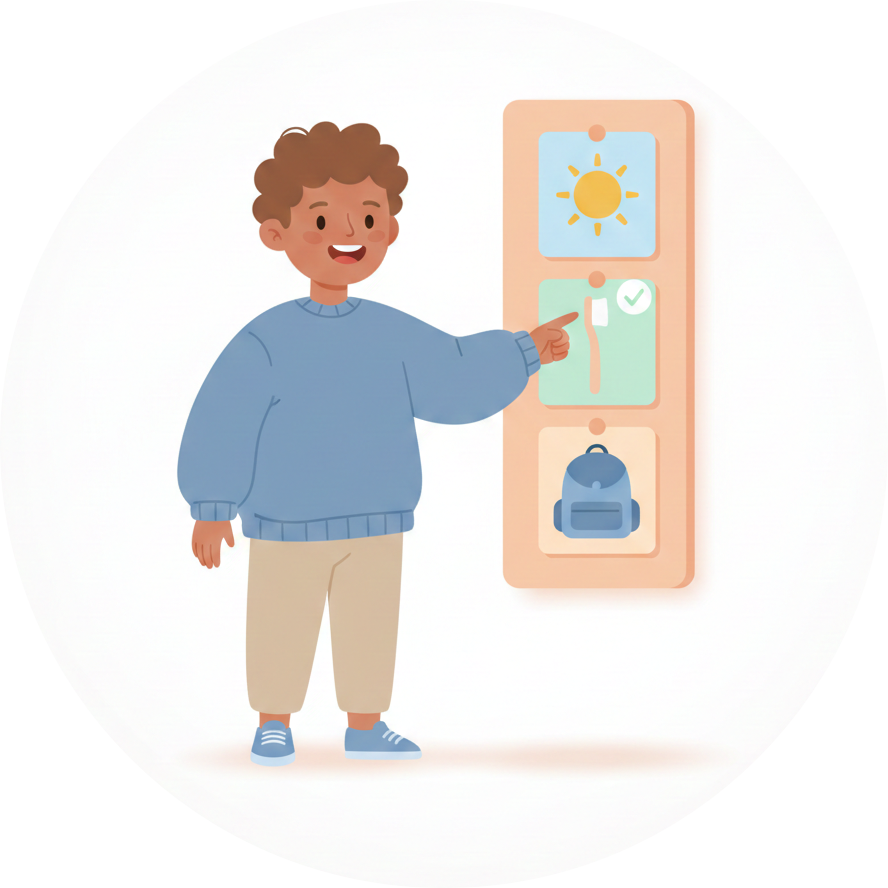
A morning routine visual schedule changes this dynamic entirely. Instead of relying on verbal reminders that vanish the moment they’re spoken, your child can see—clearly and concretely—what needs to happen and in what order. The result? Less nagging, fewer meltdowns, and a child who starts doing things on their own.
Why Mornings Are So Hard
Before jumping into solutions, it helps to understand why mornings are uniquely challenging:
Executive Function Overload
Getting ready in the morning requires a cascade of executive function skills: remembering what needs to be done, sequencing tasks in the right order, initiating each step, transitioning between activities, and managing time. For children with ADHD or autism, these skills are often significantly delayed compared to their peers.
Transition Density
Mornings pack more transitions into a shorter window than almost any other part of the day. Wake up, get out of bed, go to the bathroom, get dressed, eat breakfast, brush teeth, put on shoes, grab backpack, get in the car—each one is a transition that can trigger resistance.
Low Arousal + High Demand
Children wake up at their lowest alertness and are immediately confronted with a series of non-preferred tasks on a deadline. That mismatch between arousal level and demand level is a recipe for conflict.
Verbal Instructions Disappear
You can say “get dressed, brush your teeth, and come downstairs for breakfast” once, but for a child who processes auditory information slowly—or has working memory challenges—those three instructions might as well be thirty. The words are gone before the child can act on them.
How a Visual Schedule Fixes Morning Chaos
A visual schedule addresses every one of these challenges:
- Externalizes executive function — The schedule does the remembering and sequencing so the child doesn’t have to
- Makes transitions predictable — Each step is visible, so the child knows what’s ending and what comes next
- Persists over time — Unlike spoken words, pictures stay on the wall (or screen) and can be checked again and again
- Reduces verbal prompting — Instead of repeating instructions, point to the schedule: “What’s next?”
- Builds independence — Over time, children learn to follow the schedule without any adult prompting at all
Morning Routine Examples by Age
Every child is different, but these examples provide a starting point. Adjust the number of steps and complexity based on your child’s abilities, not their age.
Toddlers & Preschool (Ages 2-4)
Keep it short—3 to 5 steps with large, clear images:
- Wake up
- Use potty
- Get dressed
- Eat breakfast
- Brush teeth
At this age, a parent is still doing most tasks alongside the child. The schedule’s job is to make the sequence predictable and introduce the concept of “checking what’s next.”
Early Elementary (Ages 5-7)
Expand to 6-8 steps and start building independence:
- Wake up
- Use toilet
- Wash face
- Get dressed
- Eat breakfast
- Brush teeth
- Put on shoes
- Get backpack
This is the sweet spot for introducing a morning visual schedule. Children at this age can start checking the schedule themselves and completing steps with minimal prompting.
Older Kids & Tweens (Ages 8-12)
More steps and greater self-management:
- Wake up (with alarm)
- Make bed
- Shower or wash face
- Get dressed
- Pack lunch (or check it’s packed)
- Eat breakfast
- Brush teeth
- Check backpack for homework
- Put on jacket and shoes
- Leave by [time]
For older children, adding a time reference to the final step helps build time awareness without creating pressure on every individual step.
Teens (Ages 13+)
Teens may resist picture-based schedules. A checklist format—or an app on their own device—often works better:
- Alarm + get up
- Hygiene routine
- Get dressed
- Breakfast
- Check school bag
- Leave by [time]
The key for teens is giving them ownership. Let them build the schedule themselves and manage it on their own device.
Condition-Specific Morning Tips
For Autism
Consistency is everything. Keep the same order every single day. Even small changes (Dad making breakfast instead of Mom) can throw off the entire routine. When changes are unavoidable, prepare your child the night before using the schedule.
- Use combination schedules (pictures + words) for clarity
- Keep the visual environment calm—a clean, uncluttered schedule works better than a colorful, busy one
- Consider a “getting ready” area with clothes laid out the night before to reduce decision fatigue
- Pair with a day plan so your child can see what happens after the morning routine ends
For ADHD
Keep individual steps short and build in momentum. Children with ADHD struggle with task initiation, so make the first step easy (like “get out of bed”) so they experience quick success.
- Use a visual timer alongside the schedule—not for pressure, but for awareness
- Consider a “beat the timer” game for children who respond to that challenge
- Include a movement break if the routine is long (jumping jacks between getting dressed and breakfast)
- Make completion satisfying—a checkmark, a sound, moving a piece to “done”
- Put the schedule where distractions are minimized
For Anxiety
Preview the morning the night before. Walk through the schedule together at bedtime so there are no surprises.
- Include every step—surprises cause anxiety, so don’t skip steps even if they seem obvious
- Add a “something good” element: maybe a favorite breakfast item or 5 minutes of a preferred activity
- Use the schedule as a calming reference: “Let’s look at the schedule together. See? Next is breakfast, your favorite”
- Keep a predictable backup plan visible for “what if” worries (“What if we’re late?” → “We follow the schedule and it gets us ready on time”)
For Developmental Delays
Fewer steps, more support. Start with just 3-4 steps and physically guide your child through each one while pointing to the schedule.
- Use real photos of your child’s actual items (their toothbrush, their clothes)
- Celebrate each completed step with enthusiasm
- Be patient—mastery comes through repetition over weeks and months
- Gradually reduce physical prompts as independence grows

How to Create a Morning Routine Visual Schedule
Step 1: Observe Before You Build
Before creating anything, watch your child’s current morning for 2-3 days. Write down:
- What actually happens (not what you wish would happen)
- Where the breakdowns occur
- Which transitions cause the most resistance
- What your child can already do independently
This observation tells you where the schedule will have the biggest impact.
Step 2: Choose 5-8 Steps
Start with the essential steps only. You can always add more later. Common morning routine steps:
| Step | Notes |
|---|---|
| Wake up | Consider how—alarm, parent, light? |
| Use toilet | Include hand washing if needed |
| Wash face/hands | Or shower for older kids |
| Get dressed | Lay clothes out the night before |
| Eat breakfast | Keep options simple |
| Brush teeth | Pair with timer if needed |
| Put on shoes | Keep by the door |
| Get backpack | Pack the night before |
| Leave/go to car | The finish line |
Step 3: Choose Your Format
Physical (wall-mounted):
- Velcro strips with picture cards
- Laminated checklist with dry-erase marker
- Magnetic board with photo magnets
- Printed schedule in a clear sleeve
Digital (app-based):
- Apps like MyVisualRoutine let you build schedules in minutes with preloaded activities
- Easy to adjust and rearrange
- Comes with you everywhere
- Built-in progress tracking
- Kids Mode lets your child navigate independently
Best approach: Many families use both—a physical schedule posted in the bathroom or bedroom for the routine, plus a digital version for flexibility and tracking.
Step 4: Set Up the Environment
The schedule works best when the environment supports it:
- Post the schedule where the routine starts (bedroom door, bathroom mirror)
- Lay out clothes the night before to eliminate decision paralysis
- Pre-pack the backpack the night before
- Keep breakfast options simple and predictable
- Put shoes and jacket by the door
Step 5: Teach the Schedule
The first week is about learning the system, not speed.
- Walk through the schedule together the night before: “Tomorrow morning, here’s what we’ll do”
- In the morning, point to the first step: “Look at the schedule. First is wake up—done! What’s next?”
- Complete each step together
- Mark each step as done (check it off, move the card, tap it in the app)
- After the last step, celebrate: “You followed the whole schedule!”
Expect to fully support your child for the first 1-2 weeks. Independence develops gradually—first they check the schedule with a reminder, then they check it on their own, and eventually they follow the entire routine independently.
Step 6: Fade Your Prompts
Once the routine is established (usually 2-4 weeks), start stepping back:
- Week 1-2: Walk through each step together, pointing to the schedule
- Week 3-4: Prompt with “Check your schedule” instead of telling them what to do
- Week 5+: Wait and see if they check it independently. Only prompt if they’re stuck
- Long-term: Many children will follow the routine automatically but still glance at the schedule for reassurance—this is great
Troubleshooting Common Morning Problems
”My child won’t get out of bed”
This is a transition issue, not a motivation issue. Try:
- A gradual wake-up routine (lights on 5 minutes before, gentle music)
- Making the first activity after waking pleasant (not demands)
- A First/Then board: “First get up, then [favorite breakfast item]”
- Consistent wake time every day, including weekends
”Getting dressed takes forever”
Reduce the decisions:
- Lay out exactly one outfit the night before
- Use a choice board with 2-3 outfit options if your child wants input
- Break “get dressed” into sub-steps if needed (underwear → pants → shirt → socks)
- Consider sensory issues—are certain fabrics or tags causing avoidance?
”We’re always running late”
Work backward from your departure time:
- Determine how long each step realistically takes (observe, don’t guess)
- Add 10-15 minutes of buffer
- Set the wake-up time accordingly
- Put a clock or visual timer near the schedule showing “leave by” time
”The schedule worked for a week, then stopped”
Common causes:
- Novelty wore off — Add a reward element. “Complete the whole schedule → earn a sticker/point”
- Too many steps — Simplify. Remove steps they’ve mastered or combine related steps
- Inconsistency — Is every caregiver using the schedule? Consistency is critical
- Wrong motivator — If there’s no satisfying payoff for completing the routine, motivation drops. Consider adding a preferred activity at the end
”My child gets stuck between steps”
This is a transition difficulty. Strategies:
- Use a visual timer to define how long each step takes
- Create a “transition cue” (a specific sound, phrase, or the schedule itself)
- Some children need a brief sensory break between steps (10 seconds of jumping, a deep breath)
- Simplify—fewer steps means fewer transitions

Making It Stick: Long-Term Success
Involve Your Child
Let them help build the schedule. Which picture should represent breakfast? What order do they want to do things? Ownership dramatically increases buy-in, especially for children ages 5+.
Celebrate Progress, Not Perfection
The goal isn’t a flawless morning on day one. Celebrate:
- Checking the schedule without being reminded
- Completing one step independently
- Transitioning between steps without a meltdown
- Any improvement over yesterday
Adapt as They Grow
Review the schedule every few months:
- Are there steps they’ve mastered that don’t need to be on the schedule anymore?
- Are there new responsibilities to add?
- Has the format outgrown them (pictures → text, wall chart → app)?
Extend to Other Routines
Once the morning routine is solid, apply the same approach to:
- After-school routine
- Bedtime routine
- Homework routine
- Getting ready to leave the house
Each successful routine reinforces the skill of following visual supports.
Frequently Asked Questions
How long until the morning routine runs smoothly?
Most families see noticeable improvement within 1-2 weeks of consistent use. Full independence typically takes 4-8 weeks depending on the child’s age and needs. The key word is consistent—using the schedule every morning without exception.
Should I include time for each step?
For most children, no. Adding time pressure to each step increases anxiety without improving speed. Instead, focus on a single “leave by” time at the end. The exception is children who respond well to “beat the timer” challenges—but even then, keep it playful, not stressful.
What if different caregivers do the morning routine?
Everyone needs to follow the same schedule in the same order. Post the schedule visibly and walk all caregivers through it. This consistency is one of the biggest advantages of a visual schedule—the routine stays the same regardless of who’s supervising.
My child can do the routine without the schedule. Should I remove it?
No. Keep it available. Even when a routine feels automatic, stress, illness, schedule changes, or simply a bad day can disrupt it. The schedule serves as a reliable fallback. There’s no downside to leaving it in place.
Physical or digital—which is better for mornings?
Physical schedules work well for morning routines because they’re always visible without picking up a device. But digital apps shine for flexibility and tracking progress over time. Many families use a physical schedule at home and MyVisualRoutine on the go or for weekends with different routines.
Can I use the same schedule for school days and weekends?
You can, but most families benefit from two versions. School mornings have a hard deadline; weekend mornings can be more relaxed. Keep the core steps the same (hygiene, breakfast) but adjust timing and optional activities. With an app, switching between routines is easy.
Get Started Today
You don’t need to buy supplies or spend hours preparing. With MyVisualRoutine, you can create a complete morning routine visual schedule in under five minutes:
- 50+ preloaded activities covering every morning routine step—no image searching required
- Drag-and-drop ordering to arrange steps in your child’s ideal sequence
- Built-in visual timers for time awareness
- Kids Mode so your child can navigate the routine independently
- First/Then boards for motivating resistant steps
- Choice boards for decisions like breakfast or outfit
- Progress tracking to celebrate streaks and improvement
- Works completely offline—because mornings are too hectic for loading screens
- Privacy-first—your family’s data stays on your device
Tomorrow morning can be different. Not perfect—but calmer, smoother, and more independent.
Download MyVisualRoutine free and build your first morning routine tonight.
Related Resources:
- How to Create a Visual Schedule: Complete Guide
- First Then Board: What It Is & How to Use It
- Kids Mode: Give Children Independence
- Visual Schedule Features
- Day Plans for Full-Day Structure
This article was written by a parent and app developer, not a clinical professional. It is for informational purposes only and does not constitute medical, therapeutic, or educational advice. The strategies described here are based on published research and widely used frameworks, but every individual is different. Please consult a qualified professional — such as a BCBA, occupational therapist, speech-language pathologist, or special education teacher — before making changes to your child’s support plan.

Try MyVisualRoutine Free
Create visual schedules, choice boards, and First/Then boards in minutes. 50+ preloaded activities included.